April 13, 2026 • Marlowe Finch • 9 min reading time • Specs verified June 4, 2026
Projector Mounts and Stands: Matching the Right Hardware to Your Throw Distance and Ceiling Type
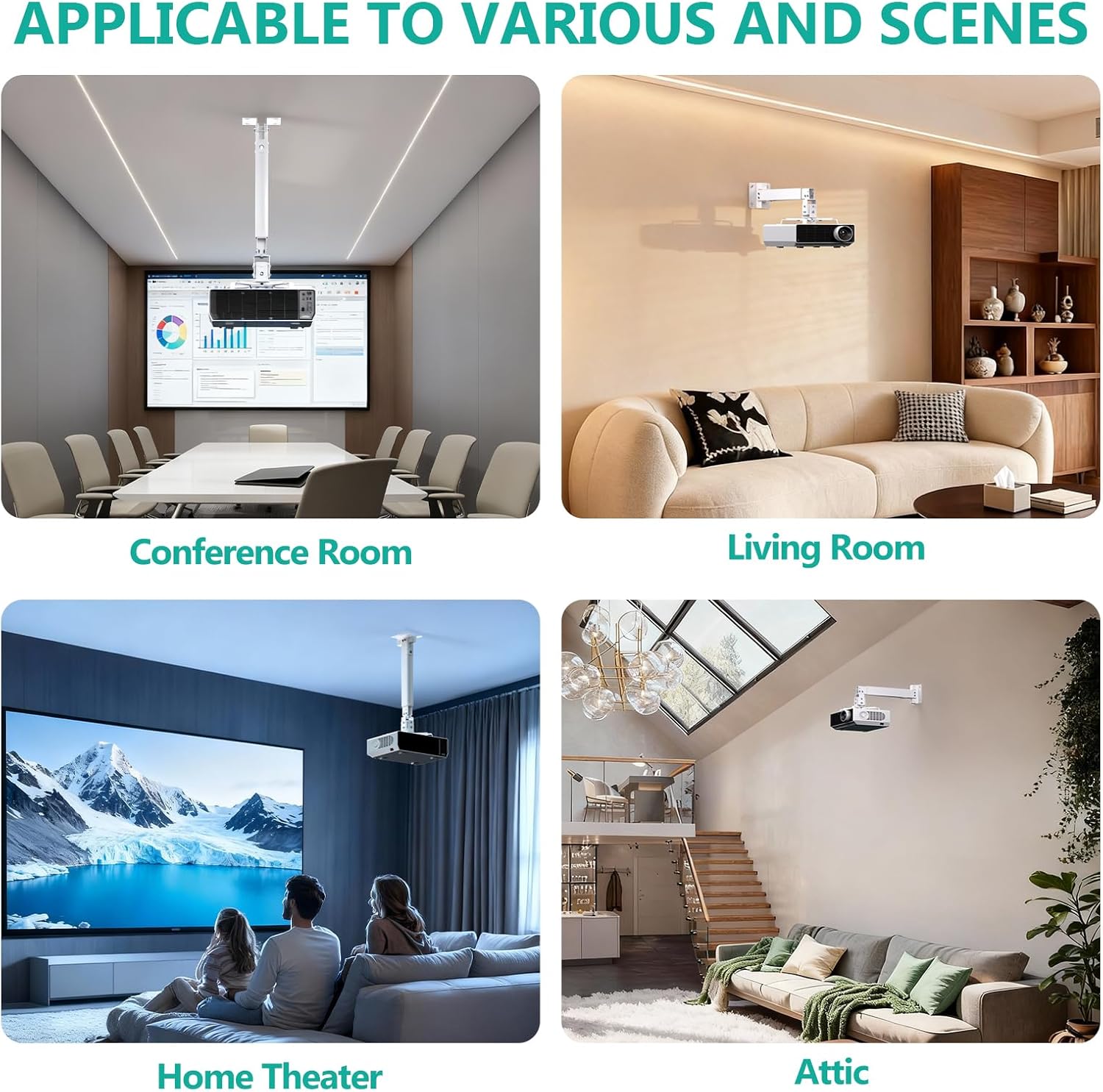
If you’ve ever aimed a projector at a backyard screen and realized the image is trapezoidal, too dim, or just slightly off-center no matter how much you fiddle with the zoom ring, the culprit is almost always placement — specifically, where the projector is physically sitting or hanging relative to the screen. A projector mount is any hardware that holds a projector in a fixed, repeatable position: ceiling brackets, wall arms, floor stands, and tripods all qualify. Throw distance is simply how far the projector sits from the screen — a 12-foot throw means the lens is 12 feet away from the projection surface. Get the mount wrong for your throw distance, and you’re fighting the geometry every single time you set up. Get it right, and the image locks in, alignment stays consistent session after session, and you stop losing the first twenty minutes of movie night to re-aiming. This guide walks through every major mount category, explains the tradeoffs in plain terms, and ends with a clear decision framework for outdoor and semi-permanent installations.
Why Mount Choice Is a Throw-Distance Problem First
Before you can pick a mount, you need to know your throw distance — and that number comes directly from your projector’s throw ratio, which is just a multiplier that tells you how wide an image you’ll get at a given distance. A projector with a 1.5:1 throw ratio produces a 1-foot-wide image for every 1.5 feet of distance. To fill a 10-foot-wide screen, you’d need to sit 15 feet back.
Projector Central’s throw ratio calculator is the most reliable free tool for this: you enter your projector model and desired screen width, and it returns the exact distance range you’re working with. That distance range directly determines what mounting solution is even physically possible in your space.
Once you have that number, the mount question becomes architectural: where in your yard, patio, or venue does that distance land, and what surface is available there?
Short-throw projectors (throw ratios below 0.5:1, including ultra-short-throw or UST models like the BenQ GP20) sit 1–3 feet from the screen. That proximity almost always means a floor stand or low shelf — ceiling-mounting a UST projector directly above the screen is rarely practical outdoors and creates significant keystone (image distortion) that the projector’s lens shift can’t fully correct at steep angles.
Standard-throw projectors (1.5:1 to 2.2:1) in the 10–20 foot range are the sweet spot for ceiling mounts on covered patios or pergolas. The geometry works out cleanly: the projector hangs at or slightly above screen-center height, and the image arrives flat and level with minimal digital correction needed.
Long-throw setups beyond 20 feet — common for large backyards or event operators running inflatable screens — almost always end up on a pipe-and-drape stand, a heavy-duty floor tripod, or a purpose-built projection tower. Ceiling attachment at that distance typically isn’t available in residential outdoor spaces.
The Four Mount Categories, and When Each One Wins
1. Ceiling Mounts (Covered Patios, Pergolas, Pavilions)
A ceiling mount suspends the projector from above, usually on an adjustable drop rod that lets you dial in height. The projector hangs inverted — which every modern projector handles automatically via a menu setting — and points horizontally at the screen.
The critical spec here is VESA compatibility (Video Electronics Standards Association — an industry standard grid of bolt-hole spacing on the projector’s underside, measured in millimeters, like 200×200 or 100×100) and the mount’s weight rating. Owners on AVS Forum consistently flag the same mistake: buying a mount rated for the projector’s body weight without accounting for a heavier zoom lens or add-on streaming dongle. Add 20–30% buffer above the projector’s listed weight.
For outdoor ceiling installations specifically, you need two things standard indoor mounts skip: sealed or coated hardware to resist moisture, and vibration-damping joints if the structure flexes in wind. Peerless-AV and Chief Manufacturing both publish outdoor-rated mount lines; B&H Photo’s editorial buying notes specifically call out corrosion-resistant hardware as non-negotiable for semi-exposed installations.
Drop rod length matters more than most buyers expect. The goal is to get the projector’s lens at or within a few inches of the screen’s vertical center. A 10-foot ceiling over a 100-inch (diagonal) screen means your screen center sits roughly 4–5 feet off the ground; the drop rod has to close that gap. Most ceiling mounts ship with a short rod (6–12 inches) and sell extensions separately — budget for that.
2. Wall Mounts and Side-Arm Brackets
Wall mounts attach to a vertical surface — a fence post, exterior wall, or structural column — and use an articulating arm to position the projector at the right angle. They’re the right answer when there’s no overhead structure in line with your throw distance, but a wall or post exists somewhere near the projector’s ideal position.
The tradeoff: wall mounts introduce tilt angle, which creates keystone distortion unless your projector has strong lens shift (a physical optical adjustment that moves the image without distorting it) or robust digital keystone correction. Digital correction, reviewers at Digital Trends note, always costs some sharpness because it resamples the image. Lens shift costs nothing optically. If you’re spending $1,500 or more on a projector, look for one with at least ±30% vertical lens shift before committing to a wall-mount scenario.
For event operators and venue installs, articulating wall brackets from companies like Vogel’s or OmniMount allow the projector to swing in when in use and fold against the wall when stored — useful for rooftop bars or glamping tent structures where equipment lives outdoors full-time.
3. Floor Stands and Tripods
The most flexible option, and the right call whenever your setup is temporary, your throw distance is short, or you’re dealing with a surface — a concrete slab, decking, rooftop pavers — where drilling isn’t possible.
Tripod-style projector stands (essentially heavy camera tripods with a platform head) are the go-to for families doing weekly movie nights. They’re compact, they pack away, and they adjust height continuously. The limitation is stability: in wind above 15 mph, a lightweight tripod with a 7-pound projector on top becomes a liability. Owners running outdoor events consistently recommend sandbag weights on the legs or a dedicated heavy-base floor stand (cast-iron or steel base, not folding legs) for anything more than a calm backyard evening.
For UST projectors, a low-profile AV stand or console positioned directly below and in front of the screen is cleaner than a tripod. The BenQ GP20 and XGIMI Horizon Ultra both have communities of owners who run them on furniture-grade AV carts for semi-permanent patio setups. The cart gives you a shelf for streaming hardware and power strips, which matters once you’ve got a full setup running.
4. Projector Shelves and Rear-Projection Platforms
Less common but worth knowing: a projector shelf is a cantilevered bracket that attaches to a wall or post and holds the projector on a flat platform rather than suspending it inverted. These are common in commercial installations (conference rooms, churches) and translate well to outdoor covered stages or permanent event structures.
For rear-projection setups — where the projector sits behind a translucent screen — the mount solution is almost always a custom platform or pipe stand, since ceiling-mount geometry rarely works with rear-projection distances.
By the Numbers: Quick Throw-Distance-to-Mount Match
| Throw Distance | Typical Projector Type | Best Mount Option |
|---|---|---|
| 1–3 ft | UST (BenQ GP20, Epson LS800) | Floor stand, AV cart, shelf |
| 6–15 ft | Standard short-throw (XGIMI Horizon Ultra) | Ceiling mount (covered patio) or tripod |
| 15–25 ft | Long-throw standard (Optoma ML1080) | Ceiling mount or heavy floor stand |
| 25 ft+ | Long-throw event/venue | Pipe stand, projection tower |
Ceiling Types and What They Actually Require
This is the piece most buying guides skip. “Ceiling mount” assumes a structural ceiling — but outdoor spaces often have pergolas with 2×6 rafters, thin aluminum patio covers, fabric shade sails, or open steel frames. Each one demands a different fastener strategy.
Structural wood beams (pergolas, covered decks): Lag screws into the beam centerline. The mount manufacturer’s specified pull-out rating assumes structural lumber — verify the beam is solid wood, not hollow decorative trim. Peerless-AV’s installation guides specify minimum 1.5-inch penetration into structural material; shallower than that and you’re relying on surface friction.
Aluminum patio covers: Most residential aluminum patio covers are not rated for suspended loads beyond 10–15 lbs. Projectors in the 8–12 lb range feel safe until you account for vibration cycling, wind loading, and the dynamic force of someone accidentally bumping the mount. Either span across two structural attachment points (distributing load) or run a separate freestanding support column.
Concrete or masonry (exterior walls, columns): Hammer-set or drop-in anchors are appropriate. Use stainless steel hardware outdoors — zinc-coated fasteners begin surface-corroding in 12–18 months in humid climates, per fastener industry standards cited in commercial rigging guidance from PLASA (the entertainment technology standards organization).
Open steel or pipe frames (event structures, gazebos): Pipe clamps with safety cable backup. Any suspended load in a public or semi-public setting should have a steel safety cable rated at twice the projector’s weight as a secondary retention system — standard practice in live event production, and referenced in AVS Forum’s long-running outdoor projection threads.
Making the Decision: The If-Then Framework
If you have a covered patio or pergola with structural wood or steel within your throw distance: Ceiling mount is the cleanest long-term solution. Budget $80–$180 for an outdoor-rated unit (Peerless-AV or Chief), add a drop-rod extension if your ceiling is above 10 feet, and confirm VESA compatibility before ordering.
If you’re running a UST projector (sub-0.5:1 throw ratio): Skip the ceiling mount entirely. A low-profile AV cart or purpose-built shelf directly below the screen gives you the geometry these projectors require, and it keeps your streaming hardware and power in one organized zone.
If your throw distance lands in open yard with no overhead structure: Heavy-base floor stand with sandbag ballast, or a pipe-and-drape stand for anything over 20 feet. Tripods are fine for calm evenings; anything with an audience or commercial context warrants the heavier option.
If you’re doing a semi-permanent commercial install (rooftop bar, glamping resort, HOA venue): The mount spec should be dictated by a structural load calculation, not just the projector’s weight. An articulating wall bracket or custom pipe stand with safety cable backup, installed with stainless hardware, is the defensible choice. The cost delta between a proper commercial install and a residential workaround is typically $200–$400 — and that gap closes fast against the liability of a projector that comes down.
The mount is the least exciting line item in a projection budget, which is exactly why it gets under-specified. Get the geometry right before you spend a dollar on anything else, and the rest of the setup falls into place.