May 7, 2026 • Marlowe Finch • 9 min reading time • Specs verified June 4, 2026
4K Laser Projectors $800–$3,000: Translating Specs Into Real Backyard and Home-Cinema Performance
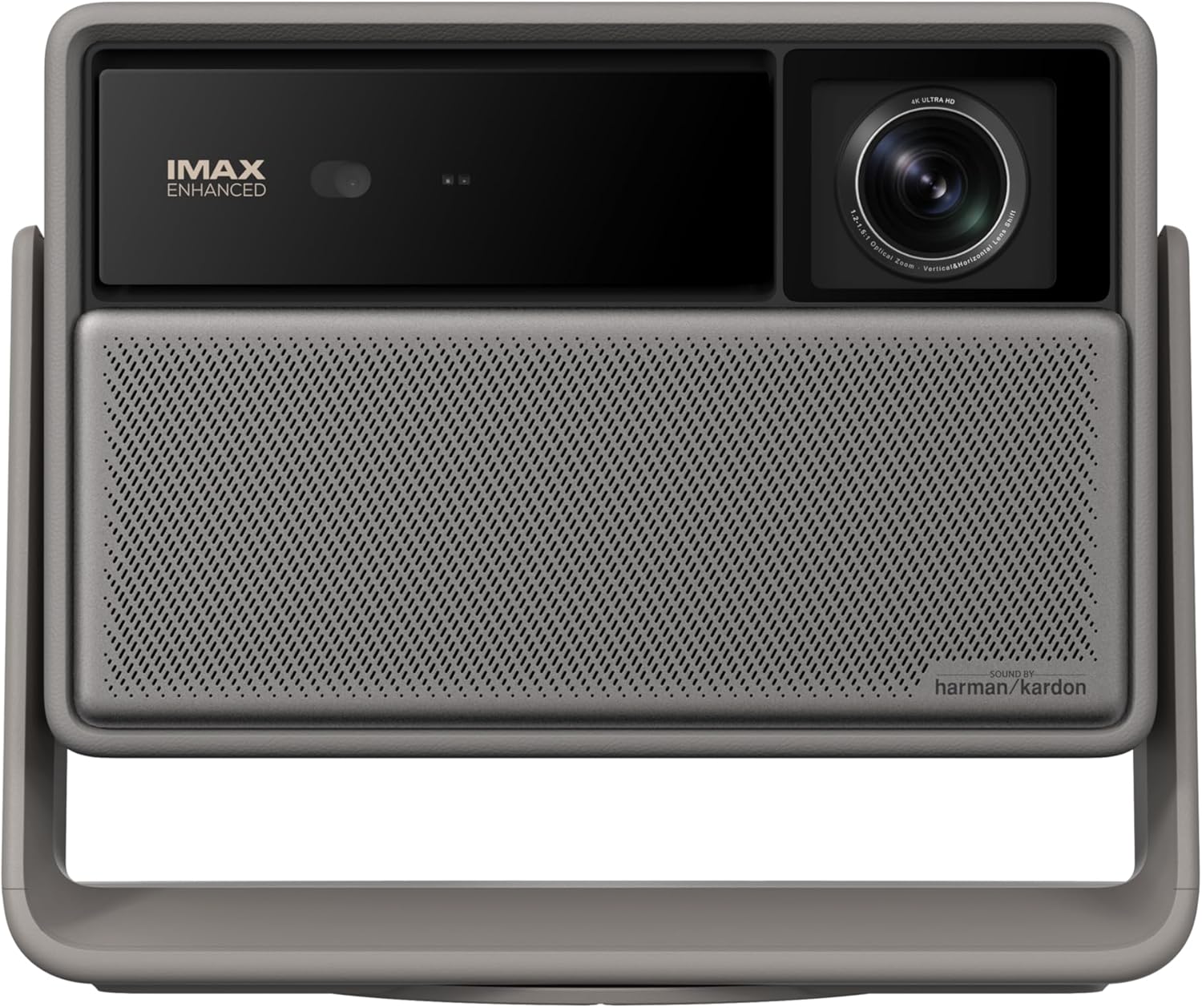
If you’ve been shopping projectors in the $800–$3,000 range, you’ve already noticed that the spec sheets start to look almost identical — everything claims “4K,” every box promises thousands of lumens, and every product page leads with a contrast ratio that sounds astronomical. The problem is that most of those numbers are measured under laboratory conditions that have nothing to do with your patio at 8:30 p.m. or your dedicated cinema room with one stubborn light leak. This guide is built around a single promise: take the specs manufacturers actually publish, layer in what reviewers and long-term owners consistently report, and translate all of it into a decision framework you can apply to your specific situation — yard size, ambient light level, screen choice, and budget — before you spend a dollar.
| EDITOR'S PICK[ViewSonic LS901-4K 5500 Lumens](https://www.amazon.com/dp/B0DCFL2J5B?tag=greenflower20-20)… | Mid-tier[BenQ TK710 4K Laser 3200 Lumens](https://www.amazon.com/dp/B0D485KG39?tag=greenflower20-20)… | Budget pick[ViewSonic LS740HD 5500 Lumens](https://www.amazon.com/dp/B0CDG3JKQP?tag=greenflower20-20) 1… | |
|---|---|---|---|
| Native resolution | 4K | 4K | 1080p |
| Brightness (lumens) | 5500 | 3200 | 5500 |
| Response time | — | 4ms | — |
| Refresh rate | — | 240Hz | — |
| Vertical lens shift | — | ✓ | — |
| 3D keystone | — | ✓ | — |
| Price | $2,299.99 | $1,699.00 | $1,099.99 |
| See on Amazon → | See on Amazon → | See on Amazon → |
Why “4K Laser” Means Three Very Different Things in This Price Band
The phrase “4K laser” gets applied to products that perform completely differently, and understanding the taxonomy is the first thing that separates a confident buyer from one who returns a projector after two weeks.
True 4K vs. pixel-shifted 4K. True 4K means the imaging chip has 8.3 million physical pixels — the same count as a 4K television. Pixel-shifted 4K (sometimes called “4K enhanced” or “4K XPR”) uses a chip with fewer native pixels but shifts the image diagonally at high speed to simulate the resolution. At typical viewing distances on screens 100 inches and larger, the difference in perceived sharpness is modest, and calibration reviewers at RTINGS.com consistently note that well-implemented pixel shift is hard to distinguish from native 4K in normal viewing conditions. At closer distances or on screens smaller than 90 inches, native 4K has a visible edge.
Laser phosphor vs. laser-phosphor array vs. pure RGB laser. In the $800–$1,500 range, almost every “laser” projector uses a single blue laser diode that excites a yellow phosphor wheel — the laser provides the light source, but color is generated through that phosphor conversion. Above roughly $2,000, some models (including the Epson LS800 and BenQ GP20) use more sophisticated laser arrays or RGB laser light paths that deliver wider color gamuts (the range of colors the projector can reproduce) and more consistent brightness over the lamp’s rated life. Projector Central’s benchmark analysis of laser light sources notes that phosphor-based lasers typically hold around 80% of rated brightness at the 10,000-hour mark, while RGB laser arrays trend closer to 85–90%.
Ultra-short-throw (UST) vs. long-throw. UST projectors sit 6–15 inches from the screen and require a specialized screen surface called an ALR — ambient light rejecting — screen, which is engineered to reflect light coming from below (where a UST sits) while scattering ceiling and overhead ambient light. A UST paired with a standard white gain screen will look washed out. Long-throw projectors in this range give you more screen placement flexibility but require throw-distance math: typically 1.2–1.5× the screen width in feet. Both formats appear in the $800–$3,000 band and they are not interchangeable decisions.
The Lumen Lie — and the Number You Should Actually Care About
Manufacturers publish what’s called ANSI lumens for white brightness and, increasingly, a separate “color brightness” figure. The critical insight: these are almost never the same number, and the color brightness figure is the one that governs how saturated and lifelike the image looks in practice.
A projector rated at 3,000 ANSI lumens might have a color brightness spec of 1,800 lumens — meaning reds, greens, and blues are significantly dimmer than the peak white measurement suggests. Sound & Vision’s projector review methodology consistently calls out this gap as one of the most underreported spec discrepancies in the category.
The ambient-light math that actually matters:
| Condition | Minimum color lumens needed (100” screen) |
|---|---|
| Full dark (blackout room or after astronomical dark) | 800–1,200 |
| Dusk / civil twilight (some sky glow) | 1,500–2,000 |
| Patio with moderate string lights or city sky glow | 2,200–2,800 |
| Shaded daytime or indoor ambient light | 3,000+ (or ALR screen required) |
These thresholds are based on aggregated reviewer guidance from Projector Central’s ambient-light explainer and corroborated by owner reports in AVS Forum’s outdoor projection discussion threads. A projector’s peak lumen rating will exceed these thresholds on paper; your goal is to find one whose color brightness spec clears the bar for your actual use condition.
Three Tiers, Three Decision Profiles
$800–$1,400: The Capable Workhorse Zone
The projectors that land here — including the Optoma UHD35STx, BenQ TK700STi, and XGIMI Horizon Ultra at the top of the band — are pixel-shifted 4K with laser-phosphor light sources. Published specs across this segment put color brightness in the 1,400–2,200 ANSI lumen range at rated settings; Digital Trends’ best 4K projector roundup notes that real-world calibrated brightness often comes in 15–20% below the box spec after color accuracy is dialed in.
If X, then Y: If your primary use case is a backyard screen that goes up after full dark (9 p.m. in summer, 7:30 p.m. in winter), a projector in this band paired with a 1.1-gain white screen and a 100–120-inch diagonal delivers a genuinely impressive image. If you’re trying to start movies at dusk or work in a space with ambient light you can’t fully control, you’ll be fighting the image at this brightness tier.
The hidden cost to budget: A projector in this range is typically a long-throw design needing 10–14 feet of throw distance for a 100-inch screen. If your setup can’t deliver that, you’re looking at either a smaller image or a shift to the UST category — which starts the budget conversation over.
$1,400–$2,200: Where Performance Becomes Deliberate
This is where the decision tree gets more interesting. The XGIMI Horizon Ultra (positioned at the upper end of this band at its 2025–2026 retail pricing per B&H Photo listings) offers Dolby Vision support and a 2,300-lumen color brightness spec in a form factor that travels. The BenQ GP20 is a UST/portable hybrid that reviewers at Digital Trends have called one of the more honest brightness implementations in the category — meaning the gap between rated and calibrated performance is narrower than average.
Owners in long-run AVS Forum threads consistently note that the $1,400–$2,200 range is where throw flexibility and color volume start to coexist. You’re no longer choosing one at the expense of the other.
Screen pairing is non-negotiable at this tier. Spending $1,800 on a projector and throwing it at a bedsheet or a $79 pull-down white screen leaves 40–50% of the image quality on the floor. At this budget tier, a tensioned ALR or fixed-frame screen from Elite Screens or Silver Ticket ($200–$600 depending on diagonal and gain) is the single highest-leverage accessory purchase.
$2,200–$3,000: The UST Laser Sweet Spot
The Epson LS800 is the anchor reference point in this band. Spec sheets put it at 4,000 ANSI lumens with a laser light source rated to 25,000 hours; RTINGS.com’s projector measurement reports document its color gamut as covering roughly 107% of the Rec. 709 standard (the color space used for most streaming content) in its best picture mode. That’s meaningfully wider than the phosphor-laser competition at lower price points.
The UST format at this tier changes the entire room or yard layout equation: the projector sits on a credenza, console, or low outdoor table inches from the screen, eliminating the throw-distance problem entirely. The trade is cost: UST projectors at this price level essentially require a dedicated ALR screen — ideally a tensioned, fixed-frame design — because the geometry of the image projection is matched to that screen’s optical characteristics. Elite Screens’ Aeon CLR series and Silver Ticket’s ALR line are the two most-cited compatible screen families in this use case, with reviewer and owner consensus (documented across both AVS Forum threads and Sound & Vision calibration reviews) pointing to 0.5–0.8 gain ALR surfaces as the right match.
If X, then Y at this tier: If you’re building a permanent or semi-permanent outdoor cinema space — a covered patio, a screened outdoor room, a rooftop venue — and you want a setup that holds up visually from 7:30 p.m. onward with guests who haven’t consented to sitting in total darkness, the UST laser + ALR screen combination is the only architecture in this price band that delivers it reliably. If portability matters (you’re setting up in different locations, moving the projector indoors and out), a long-throw model in the $1,400–$2,200 range will serve you better.
The Four Hidden Costs That Turn an $800 Projector Into a $1,800 Setup
This section belongs in every 4K laser conversation because the projector is almost never the whole budget.
-
Screen ($150–$800). A quality tensioned screen isn’t optional at this performance tier — it’s load-bearing. Budget $300–$500 for a 120-inch fixed-frame ALR if you’re pairing with a UST; $150–$300 for a 1.1-gain fixed-frame white screen for long-throw setups in controlled dark conditions.
-
Streaming source ($50–$200). Most projectors in this range have built-in Android TV or similar OS, but owners consistently report that an external stick (Amazon Fire TV 4K Max, Nvidia Shield Pro) produces more reliable streaming performance and future-proofs the smart TV layer independently of the projector hardware.
-
Audio ($200–$2,000+). The projector’s built-in speakers are adequate for previewing a setup — not for a real viewing experience. Outdoor audio is its own article, but budget at minimum for a portable Bluetooth speaker at $150–$200, or a two-speaker outdoor system at $400–$600, before you consider the setup complete.
-
Power and weatherproofing ($50–$300). Outdoor setups need a protected power circuit, a quality surge protector rated for outdoor use, and — if the projector lives outside — a weatherproof enclosure or at minimum a cover rated for the climate. This line item is consistently underbudgeted by first-time buyers, per operator discussions in AVS Forum’s commercial/outdoor projection subforums.
The Decision Rule
If your budget is under $1,400 and you can guarantee full-dark operation after setup: a pixel-shifted 4K long-throw model in the $800–$1,200 range paired with a quality fixed-frame screen delivers excellent value. If your budget clears $2,200 and you have a permanent wall or screen surface available: the UST laser category — anchored by the Epson LS800 at 2025–2026 pricing — is the architecture that removes the most tradeoffs simultaneously. Everything in between is a calibration of brightness need, throw flexibility, and how much of the hidden-cost stack you’ve already addressed.
The spec sheet gets you in the door. The real performance lives in the gap between rated lumens and calibrated color brightness, in the screen you pair it with, and in whether you’re setting up in darkness or fighting ambient light. Map those three variables first, then let the budget tier do its job.